What is a Competitive Brief?
A Competitive Brief is a short email Competely sends on a schedule. Between your full analyses, Monitoring keeps watching your competitors' websites and distills the most important changes into a 2-minute read: Key Moves, Risks to Watch, Opportunities to Explore, and a Full Change Log with source links on every item.
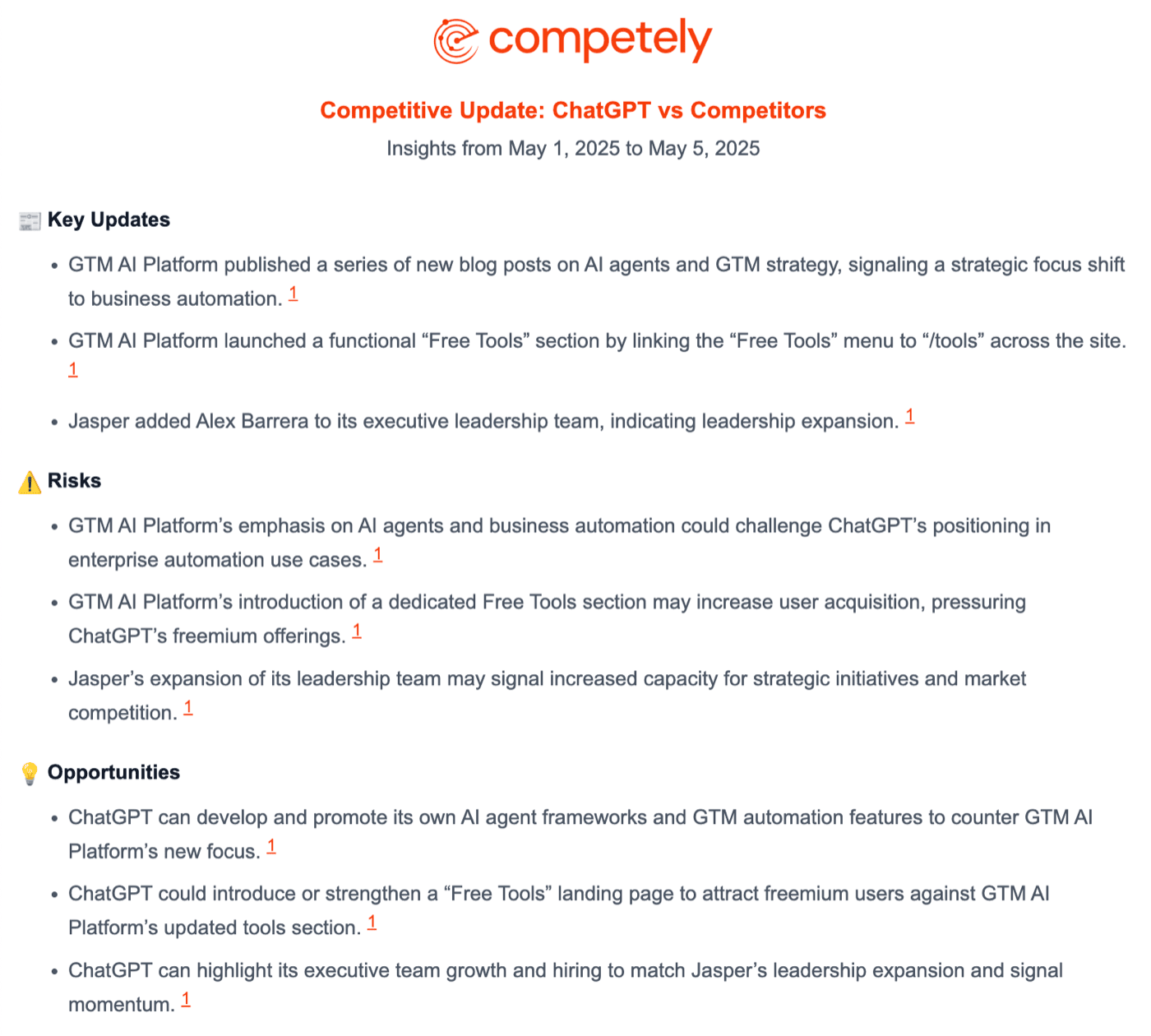
How it works:
- On your schedule (weekly, every 2 weeks, or monthly, depending on your plan), Competely re-reads your competitors' websites and related sources.
- It compares what it finds today against the previous run and picks out the changes that matter.
- The result lands in your inbox as a short email:
- Key Moves: the most important updates a competitor made (a new feature, a price change, a positioning shift).
- Risks to Watch: changes that could affect your position or pipeline.
- Opportunities to Explore: gaps in what competitors are doing that you could move into.
- Full Change Log: a per-competitor breakdown of every change detected.
Every item across all sections includes a numbered source link so you can verify it in one click before acting on it.
Your first brief arrives the same day
You do not wait a full cycle for the first one. Within an hour of your first analysis finishing, Competely sends a first brief covering what each competitor published over the previous 90 days: blog and changelog posts, release and press pages, and pricing or product pages that changed, each item dated and linked. It is built from what the competitors themselves published rather than from a comparison of two of our own readings, because there is nothing yet to compare against. It has the same sections as every later brief, so you can see what you will be getting. After that first one, briefs arrive on your schedule and cover what changed since the brief before.
A competitor who publishes nothing dated that we can read is listed with nothing for the period rather than filled in with guesses.
If Monitoring finds no meaningful changes on the competitors' sites in a period, the brief is skipped for that cycle. For why that happens, see what does Monitoring track?.
Briefs go to your account email by default. You can add teammates, execs, or clients as recipients so everyone stays aligned. See who gets the brief emails?.
For how often briefs are sent and how to change the cadence, see how often are briefs sent?. For the difference between Monitoring and re-running the analysis yourself, see Analysis vs Monitoring.