How does Competely work?
You enter your product, pick competitors, and Competely gives you two things: a detailed side-by-side analysis, and recurring Competitive Briefs that watch those competitors over time. New visitors can try Competely free from the homepage before paying. The steps below are how a project works once you're on a plan.
1. Add your product
Paste your product URL on the homepage (free analysis) or in the new-project screen after you subscribe. If you don't have a live site yet, paid projects can also accept a short description instead.
2. Pick your competitors
Competely's AI suggests competitors based on your product. Add the ones that fit, or add your own by URL. You decide who you're being compared against.
3. Get the analysis
Competely reads your site and each competitor's site, plus related public sources across the web, and builds a side-by-side comparison table.
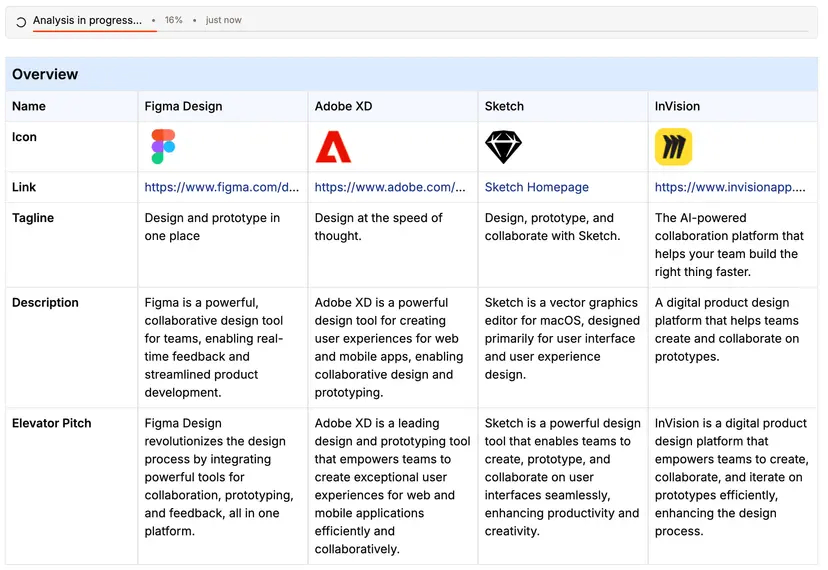
The table covers 100+ data points per competitor across product, pricing, marketing, audience, and SWOT. Every cell links back to the source page it came from, on the competitor's site or another public source. Select Show Sources below any data point to expand the citations and verify the claim yourself.
The analysis runs when you create the project and most analyses finish in 15 to 45 minutes. To see real output, browse the sample analyses page.
4. Get Competitive Briefs
After the analysis is in place, Competely keeps watching those competitors and emails you a Competitive Brief on a regular cadence with what changed since the last brief.
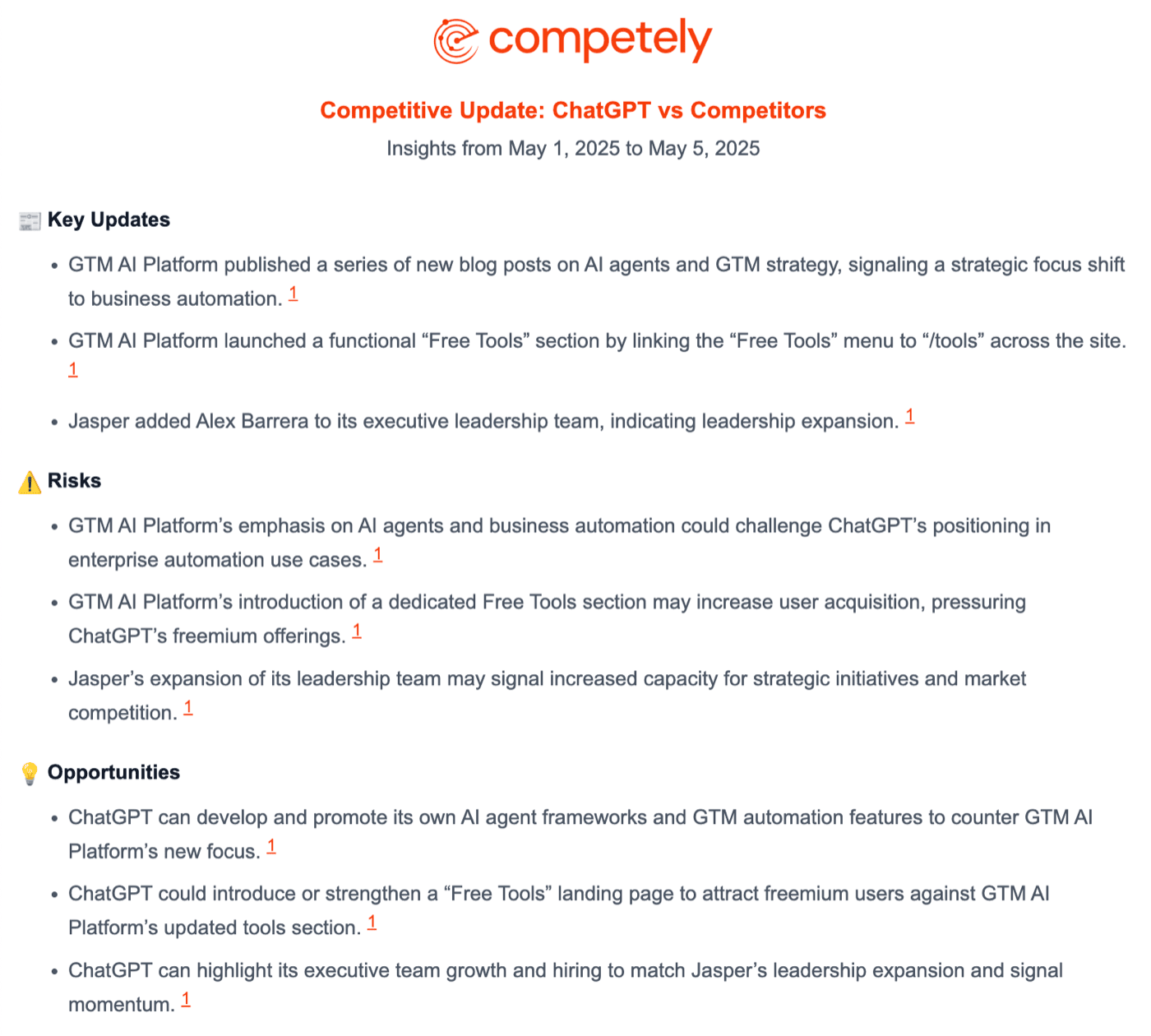
A brief covers new pricing, new features, positioning shifts, blog posts, and other public signals worth knowing about. Each item links back to the source page on the competitor's site or another public source, so you can verify it yourself. You can pause briefs or change the cadence from the project's monitoring settings.